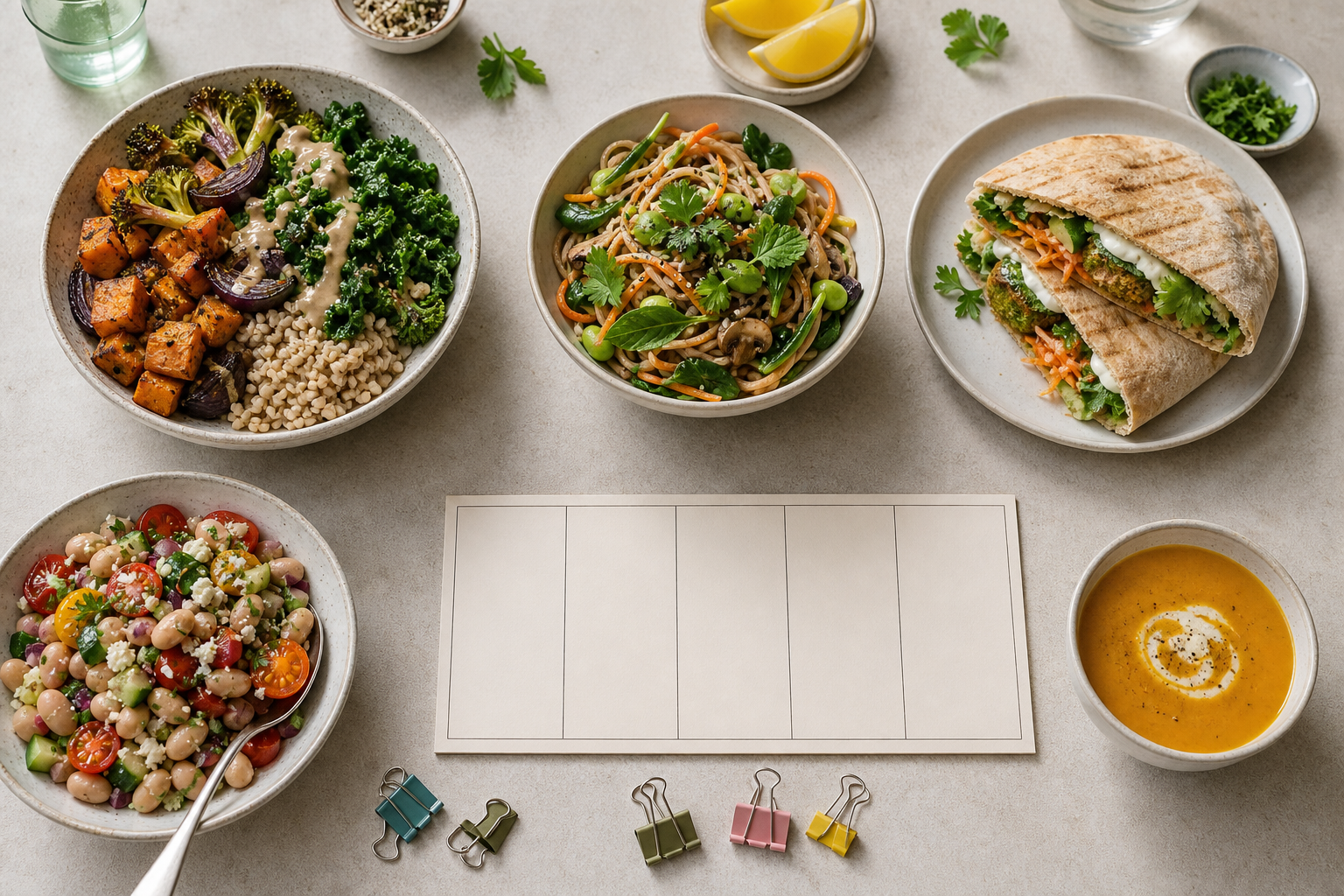
Build a lunch rotation by choosing a small set of distinct meal structures, then checking each one against four fields: primary protein or central anchor, cooking-time band, ingredient role and repetition flags. Start with five lunches only if that matches your week; otherwise use the number of lunches you need before repeating. Put quicker meals on compressed days, reserve longer meals for days with more time, and reuse an ingredient only when its role or format changes. Run the set for two weeks, change the order in the second week, and record what actually happened: repeated anchors, time mismatches, skipped slots and ingredients left without a use. Keep, edit or replace individual rows rather than abandoning the whole rotation. This turns variety into a small decision system instead of a new recipe search every morning.
The useful target is not five unrelated recipes. It is a set of lunches that feels different enough from one day to the next, shares a manageable amount of shopping, and can be selected again when the week becomes busy. The worksheet below makes those trade-offs visible before they become a disappointing lunch.
The ACRR framework: Anchor, Clock, Role and Repeat
The ACRR framework is a practical filter for selecting lunches. It is a planning aid, not a nutrition prescription. Each row describes one lunch, and each field answers a different question.
- Anchor: What is the main protein or central ingredient that gives the lunch its identity? Write one clear item, such as egg, tofu, chickpea, chicken or lentil. If the meal has no obvious protein, record the main central ingredient instead.
- Clock: How much preparation and cooking time can this slot absorb? Use personal bands rather than pretending that a time label fits every kitchen. One workable starting key is Q for up to 15 minutes, M for 16 to 30 minutes and L for more than 30 minutes. These are planning labels, not measured claims about any recipe.
- Role: Which ingredient role can be shared without making the meals feel identical? Record a role such as grain base, flatbread filling, broth base, fresh contrast, sauce or crunch. A role is more useful than a long shopping list because it shows how an ingredient will be used.
- Repeat: Which repetition needs attention? Mark D for the same complete dish, A for the same anchor on adjacent days, F for the same format on adjacent days, T for a time mismatch and I for an ingredient that has no realistic second use.
Use the two-change rule as a gentle screen: when two consecutive lunches share one field, change at least two other fields. For example, the same greens can appear twice if the anchor, format and role change. The same anchor in the same format on consecutive days is a stronger repetition signal and usually deserves an edit. This rule leaves room for sensible ingredient reuse while protecting day-to-day contrast.
Fill the five-meal variety matrix
Begin with the number of lunches that you actually need. The five-row version below suits a Monday-to-Friday pattern, but the method does not depend on that schedule. Fill the context column first, because a short break at a desk and a relaxed lunch at home are different constraints.
| Slot | Day or context | Meal structure | Primary protein or anchor | Cooking-time band | Ingredient role to reuse | Repetition flags | Keep, edit or replace |
|---|---|---|---|---|---|---|---|
| 1 | |||||||
| 2 | |||||||
| 3 | |||||||
| 4 | |||||||
| 5 |
A meal structure should describe what makes the lunch recognisable, not just list ingredients. Grain bowl, filled flatbread, noodle bowl, soup with a side and composed salad are useful structure labels. They let you spot a format repeat even when the ingredients are different.
For the ingredient-role column, choose the item or component that makes a second use plausible. If spinach is a filling on one day and a fresh garnish on another, record those roles separately. If a jar of sauce appears in two lunches but dominates both in exactly the same way, it may still create repetition. The flag column lets you mark that judgement without throwing away the entire plan.
Before choosing recipes, write the non-negotiables beside the table: foods you avoid, storage available, whether reheating is possible, the longest acceptable preparation time and the lunches that must travel. These constraints are more useful than a broad promise to eat more variety because they remove choices that cannot survive your actual week.
Decision table: keep variety without making shopping awkward
Use this table after every row has a candidate. It separates a useful repeat from a frustrating repeat.
| Check | If the answer is yes | If the answer is no |
|---|---|---|
| Does this repeat the complete dish on an adjacent day? | Move it to another slot or replace one structure. | Continue. |
| Does it use the same anchor as the adjacent lunch? | Change the anchor, or move the lunch so the anchors are separated. | Continue. |
| Does it use the same format and the same finishing pattern as the adjacent lunch? | Change the format or the role of the shared ingredient. | Continue. |
| Does the cooking-time band exceed the time available in that slot? | Mark T and choose a shorter candidate or a longer slot. | Continue. |
| Does a fresh or specialist ingredient have no planned second use? | Mark I and remove it, add a second use or choose another candidate. | Continue. |
| Can the lunch be stored, carried and eaten in the intended setting? | Keep the practical constraint visible and confirm the plan. | Mark a practical risk before committing. |
This is a decision table, not a scorecard. A lunch can have one intentional repeat and still belong in the rotation. The question is whether the repeat helps the plan or merely survives because it was not noticed.
A short pre-save checklist:
- Every row has a concrete meal structure, not only a list of ingredients.
- Every row has a time band based on the slot where it will be eaten.
- No adjacent pair carries both the same anchor and the same format.
- Any shared ingredient has a second role or a clear second use.
- Any row marked T, D or I has an edit before the plan is treated as ready.
- Week two has a different order, so the rotation is not tied to one weekday.
Example: a five-lunch rotation for one person
The following is an illustrative worked example. The meal structures, time bands and flags are planning choices created for this example; they are not claims about named recipes, recipe timings, nutrition values or test results from Eat Easier.
| Day | Illustrative meal structure | Anchor | Band | Ingredient role | Repetition flag |
|---|---|---|---|---|---|
| Monday | Egg and greens filled flatbread | Egg | Q | Greens as filling | — |
| Tuesday | Tofu noodle bowl with greens | Tofu | M | Greens as fresh garnish | R: shared greens, changed role |
| Wednesday | Chickpea and tomato grain bowl | Chickpea | Q | Tomato as base or dressing | — |
| Thursday | Chicken vegetable soup with bread | Chicken | L | Bread as side; vegetables as broth base | — |
| Friday | Lentil salad with tomato and seeds | Lentil | M | Tomato as fresh dressing; seeds as crunch | R: shared tomato, changed role |
Here is the selection logic, row by row:
- Monday is the short slot. The flatbread structure is recorded as Q because the planner has chosen to reserve little time at the start of the week. The exact time is not a recipe claim; the person can change the band if the real preparation takes longer.
- Tuesday changes the anchor and format. Tofu replaces egg, and noodles replace flatbread. Greens are reused, but they move from a filling to a fresh garnish. That is a controlled repeat rather than a duplicate lunch.
- Wednesday returns to a short band without repeating the earlier structure. Chickpea and tomato grain bowl changes the anchor and base. If grain bowls are likely to feel too similar to a later plan, the role column should expose that before shopping.
- Thursday holds the long slot. Soup is assigned to L only because this example gives that day more time. If there is no long slot, this row is the first candidate to replace. A dish does not become practical merely because it looks varied on paper.
- Friday reuses tomato in a different role. Tomato is part of the bowl on Wednesday and becomes a fresh dressing element on Friday. Lentil changes the anchor, while seeds add a different texture. If the person does not enjoy that combination, the row can be changed without altering the rest of the grid.
The important feature is not the ingredient list. It is the visible relationship between rows: anchors vary, formats move, time bands reflect the calendar, and selected ingredients have an assigned second role. The same method works with vegetarian, vegan, halal, kosher, allergy-aware or other personal requirements, provided the candidate meals come from choices that fit those requirements.
Run a two-week repeatability check
A rotation is only useful if it survives the week it was made for. Treat the first two weeks as an observation period for the plan, not as proof that the pattern suits every future week. Use the same short record after each lunch:
| Prompt after lunch | Mark |
|---|---|
| Did the lunch fit the available time band? | Yes / No |
| Did the storage, transport and eating setting work? | Yes / No |
| Did it repeat the previous lunch in anchor or format? | Yes / No |
| Is every perishable or specialist ingredient assigned another use? | Yes / No |
| Would you voluntarily keep this row in the next rotation? | Keep / Edit / Replace |
Week one: use the original order and write the marks while the details are fresh. Do not change several rows at once just because one lunch was inconvenient; identify the field that failed.
Week two: use the same set in a different order. Keep adjacent anchors and formats apart where possible. This checks whether the rotation depends on one particular weekday, and it exposes a time band that looked reasonable in planning but clashes with a different part of the week.
At the end of the second week, apply these decision rules:
| Observation | Decision |
|---|---|
| D appears because an identical dish landed too close together | Move one row or replace one structure. |
| A appears on adjacent days | Separate the rows or change one anchor. |
| F appears twice in succession and the contrast feels weak | Change the format or finishing role. |
| T appears because the available time was smaller than the chosen band | Reassign the slot or replace the lunch with a shorter candidate. |
| I appears because an ingredient has no credible second use | Remove that ingredient from the shortlist or give it a specific second row. |
| The practical setting fails even though the grid looks varied | Change the storage or transport assumption, then reassess the row. |
| The lunch remains convenient and distinct enough | Keep it and revisit it in a later rotation as a working choice, not a conclusion. |
Do not replace the whole plan for one weak row. A rotation is easier to maintain when each failure points to one field. A time problem is a Clock edit; two similar bowls are a Role or format edit; an unused ingredient is an ingredient-map edit. This is the central advantage of the grid: it tells you what to change.
Implementation steps: from shortlist to saved plan
- Define the boundary. Write how many lunches you need, the days they cover, the setting for each lunch, storage and reheating limits, and the maximum preparation time. Add dietary, cultural and budget constraints that apply to you. Do not use the matrix to override those boundaries.
- Make a small candidate list. Start with meals you already know you can prepare or with a verified recipe catalogue. Choose more candidates than slots, but stop when every slot has a plausible alternative. Endless browsing is another form of decision load.
- Fill Anchor and Clock first. Give each candidate a primary protein or central anchor and a personal time band. Put Q candidates into compressed slots and L candidates only where the schedule supports them. If a candidate needs a time estimate you do not know, mark it uncertain rather than inventing one.
- Assign Role and format. Record the component that can be reused and the structure that makes the lunch different. Aim for contrast across adjacent rows, not total separation across the whole week.
- Map ingredients across rows. For each item you plan to buy, note the row and role where it appears. Keep an item when its second use is realistic; otherwise mark I. The aim is not to use every ingredient in every lunch, but to avoid buying an item with no credible place in the plan.
- Apply the decision table. Resolve D, A, F, T and I before the plan reaches the calendar. If two rules conflict, respect the hard constraint first: dietary needs, available time and safe storage take priority over novelty.
- Save the selected meals and schedule them. The supplied public site signals state that Eat Easier has 300 single-serving recipes, free browsing and search by time, protein and ingredients. The same signals describe a Weekly Planner and saving tools. Those are the verified product details used here; they do not establish that every individual recipe suits every person. Source: PUBLIC_SITE_SIGNALS.json, supplied first-party pages.
- Revisit rows, not just recipes. After two weeks, keep the framework and replace only the rows with clear D, T or I problems. If the plan is still too repetitive, change Role or format before buying a completely different set of ingredients.
If you want to apply this process with a searchable recipe and planning tool, browse Eat Easier recipe and planning tools. The link is a next step, not evidence for the illustrative example above.
Limitations: where this framework stops
This framework organises choices; it does not decide what is nutritionally adequate, medically appropriate or safe for a particular person. Allergies, intolerances, religious requirements, medical diets and food-safety questions need their own checks. The matrix should be filtered by those requirements before variety is considered.
Five rows are a template, not a rule. A person who eats lunch at home on some days may need fewer slots; a person with a changing schedule may need a flexible pool instead of a fixed week. The Q, M and L bands are personal planning labels. They may not include shopping, cooling, packing, transport, washing up or time needed to find a missing ingredient.
Ingredient reuse also has a trade-off. Reusing one item in two roles can simplify a shop, but it can create boredom, an unwanted texture change or a storage problem. If an ingredient has a short usable window, do not assume a second role is practical without checking your own storage and handling routine.
The supplied public signals describe the site and features at collection time. They do not verify the suitability, availability or personal appeal of every recipe. The article therefore avoids recipe-specific nutrition, pricing, customer evidence, performance claims and unverified product capabilities. The worksheet is useful even if you manage it on paper or in a spreadsheet.
Frequently asked questions
How many lunches should be in one rotation?
Use the number of lunches you need before you want to repeat. Five is a convenient worksheet size for a Monday-to-Friday pattern, not a required count. If your schedule has fewer lunch slots, remove rows; if it has more, extend the same fields and repeat flags.
Can I reuse the same ingredients and still have variety?
Yes, if the ingredient changes role, format or surrounding structure. Greens can be a filling in one lunch and a garnish in another; tomato can be a bowl component in one row and a dressing element in another. Flag the repeat so the choice is deliberate. If the anchor and format also stay the same, the meals may feel too close.
Does the primary protein need to change every day?
No. The framework is not a dietary rule. If the same anchor is convenient, separate it from the next occurrence and change the format or role around it. The adjacent-day flag is there to make a deliberate repeat visible, not to ban repeats.
What if every lunch slot is short on time?
Set every Clock band to the time you genuinely have, then vary Anchor, Role and format instead. A short rotation can still contain different structures such as a cold salad, a filled flatbread, a noodle bowl or a prepared soup. If a candidate repeatedly exceeds the band, replace the candidate rather than blaming the calendar.
Do I need an app to use the worksheet?
No. Paper, a spreadsheet or a notes file can hold the same columns. A searchable recipe catalogue can reduce the work of finding candidates, but the grid still matters because it records why a lunch belongs in a particular slot and what needs to change when it fails.
When should I replace a lunch rather than move it?
Move it when the lunch fits the time and storage limits but sits too close to a similar row. Replace it when the time mismatch, storage problem or unwanted ingredient repeat remains after a sensible move. Keep the slot and its constraints, then choose a new candidate that fills the same practical role.